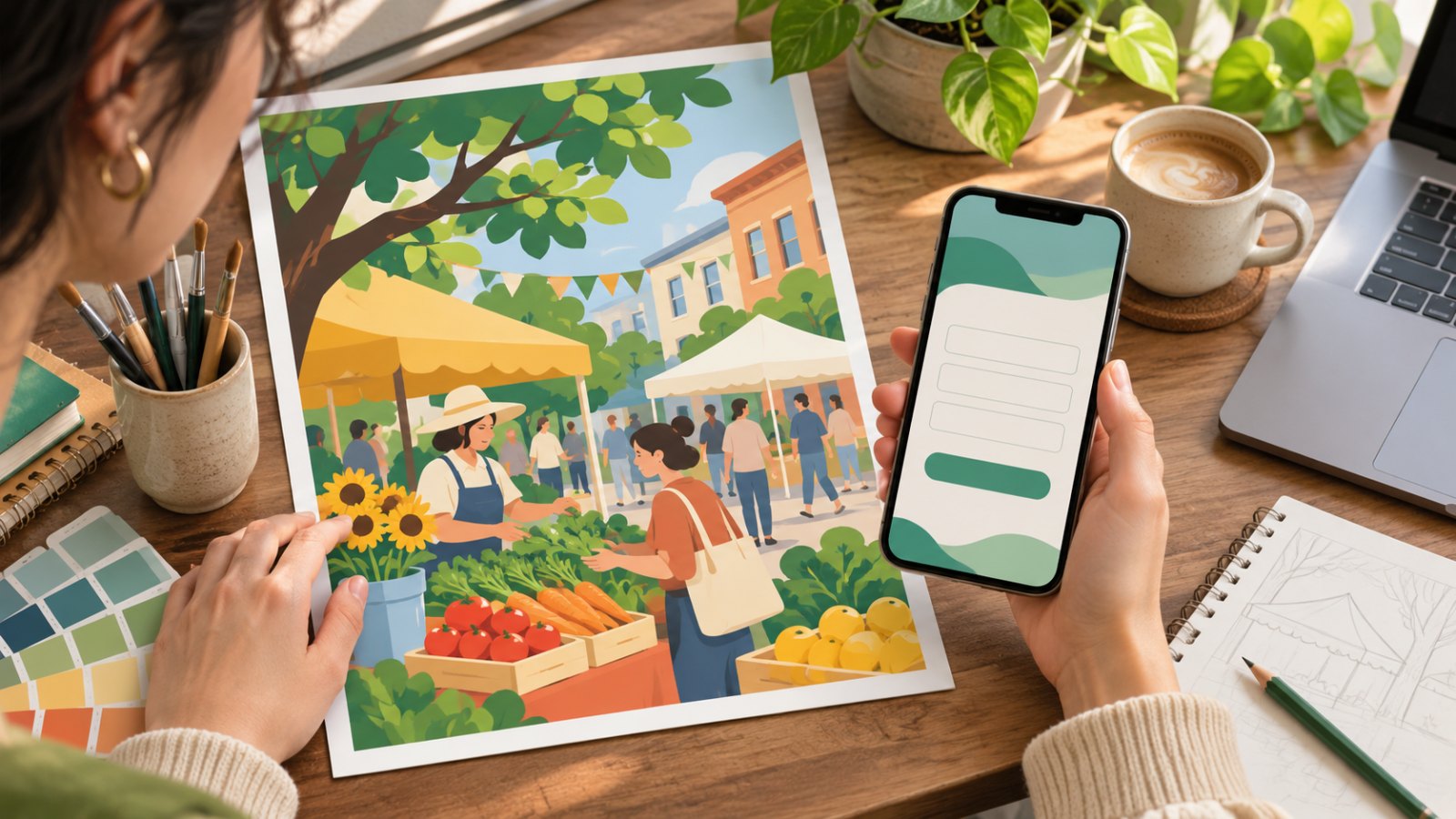
Graphic design helps someone recognize an event and find the next step. UI design helps them take that step, recover if it goes wrong, and know it worked. If you are moving from graphic design into UI, keep your typography and hierarchy skills and add a task flow and error states to your portfolio.
- Graphic design focuses on hierarchy, type, layout, and resizing for different media. Deliverables include the poster and files others can use. Start with a poster, then adapt it for phone sharing. Check that the date, location, and sign-up link still stand out.
- UI design focuses on interface hierarchy, components, and states. Deliverables include screens, prototypes, and guidance for each state. Start with a sign-up form, then add a missing-field error and a submission result.
Compare the review. A printer or marketing team may check a poster for readability and correct files. A product team and engineers may check whether a first-time visitor can finish the form. The same visual hierarchy serves two different tasks.
Design two pieces for the same community market
Use this fictional brief. A Saturday market lets visitors pick an arrival slot. The organizers need a printed poster, a graphic to share in a group chat, and phone registration. Confirm the venue, deadline, time slots, and who handles last-minute changes. The names of the time slots should match when someone scans the poster's QR code.
As the graphic designer, try two layouts. Make the event and date dominant in the first, and give the slots and sign-up link more weight in the second. Let someone glance at each one, then ask them to recall what the event is, where it takes place, and how to sign up. For print, test the viewing distance and whether the QR code scans. For group chat, check the date and title in the cropped thumbnail. Confirm specs with the printer, then share the intended use, version, and source files.
As the UI designer, handle selecting a slot and submitting the form. If another person owns interaction design, agree on the flow before designing the states. Cover open slots, partial availability, and a full event. When a required field is missing, identify it and explain the problem. Watch someone begin at the QR code without help. Record where they pause, whether they can tell they registered, and whether they can recover from a mistake. WCAG says that automatically detected input errors must identify the affected item and describe the error in text. W3C error identification guidance
| Deliverable | What to include | What to test |
|---|---|---|
| Poster and share graphic | Hierarchy, dimensions, export versions | Can people find registration without zooming? |
| Interface and prototype | Components, states, errors, confirmation | Can a first-time visitor register on their own? |
| Shared handoff | Copy, branding, names of slots | Do both pieces stay consistent if the date changes? |
If the market moves to Sunday, graphic design updates the print and group-share files and explains how to replace old copies. UI design checks the entry point, date selection, and the notification shown to people who have already registered. Show both versions and why you changed them in a portfolio.
What do mainland China job listings show?
A historical Banmu Huatian graduate vacancy for the 2021 cohort, posted through Shandong University, listed design of e-commerce storefronts and pages. Some graphic designers also make web visuals. A Beijing graduate vacancy at Baidu for a product experience designer listed information architecture, interaction flows, prototypes, and cross-team implementation. It illustrates a broader role adjacent to UI. A separate Beijing UI Designer posting from Baidu’s experienced-hire channel lists AI product interfaces, component-based design, motion, and design guidelines. These listings differ in year, city, and recruiting category, so use them only to understand the duties each employer described. Banmu Huatian posting · Baidu graduate posting · Baidu UI Designer J91103
Mark the channel, main deliverable, and reviewer in each listing. If the job centers on in-app campaign graphics and marketing assets, show layout, resizing, and brand consistency. If it lists flows, components, edge cases, and review with engineering, show a task flow and what changed after feedback. Ask what you would deliver first: campaign visuals, interface guidelines, or a complete flow ready for review. Graphic designer profile · Web and digital interface designer profile
A career transition guide from Adobe frames research and collaboration as new responsibilities for designers changing fields. The quick comparison here is narrower: start with one phone flow and show the point where an interaction changes state. Pair the QR code with the form’s first screen so reviewers can check that the promise on the poster matches the task. Adobe transition guide
Two US employer listings show how to read the work behind a title. AEG’s Los Angeles Graphic Designer posting lists posters and other print and digital assets, with marketing approval. Dscout’s Senior Product Designer posting lists interaction, visual design and prototyping across platforms. The latter is a broader product design role. These are examples of deliverables, and the jobs differ in employer, seniority and scope. AEG listing · Dscout listing
What belongs in each portfolio?
For graphic design, include two layouts for the same event, one piece of feedback, and a revision. Perhaps the QR code was easy to miss or a portrait layout got cropped in chat. Annotate the changes to wording, hierarchy, or spacing.
For UI, include a full task path, three key states, and a revision after testing. Use wireframes to show what can be clicked and what happens next, then add the visual rules. Explain a decision beside an error state, such as retaining input when submission fails.
From graphic design to UI, reuse typography, color, and information hierarchy, then add interaction states and engineering collaboration. From UI to graphic design, reuse component consistency and hierarchy, then practice layouts and exports for different media. After both exercises, look at which tasks you want to repeat and compare them with the listings. One exercise offers evidence about the work and feedback you received, not a general verdict about creativity. Openness and creativity · Industrial vs. graphic design · 94-question career assessment
Frequently asked questions
Can I reuse my poster in a UI portfolio? Yes, as the entry point. Add the flow after the scan, an error and a recovery path, and a note about what a tester could or could not complete.
How can you adapt old work into a portfolio sample for the role?
Pick an event project you actually worked on and can share publicly. Write down its original goal, audience, your role, and the constraints at the time. If you only did the visual work, label anything you add now as a personal exercise and explain whether you used fictional time slots or the original event's public information. That way, you can tell an interviewer which decisions were made as a team during the project and which you made when revisiting it.
For a graphic design application, choose one communication problem in the original. For example, passersby may miss the event time on a poster at the entrance. Keep the original and rearrange the headline, date, and call to action at the same size. Make a mockup of the poster on display, then adapt the content into a small image for a group chat. Let a friend glance at each size and ask when they'd go and how they'd find the sign-up page. Include what they actually missed and show how you adjusted type size, position, or spacing. If the two sizes require different trade-offs, explain which information you prioritized in each.
For a UI design application, use the existing poster as the entry point to registration. Build a mobile prototype with a typical path and a path where the status changes. For example, there's space when the visitor opens the page, but their chosen slot fills up while they're completing the form. Prototype the notice, alternative slots, and what happens to the information they already entered. Ask someone to try it. If they reenter everything, check whether the form kept their input and whether the notice explained what to do next. Keep the before and after screens so an engineer or designer in the interview can ask about a specific decision.
Before uploading, ask someone to look at just the thumbnail and the first two pages, then explain what problem you solved and where to find the final deliverable. If they keep asking whether you made the poster or the sign-up page, reorder the case study. Put the materials and size adaptations first for a graphic design application. For UI, lead with the task the visitor is trying to complete and the key states. Both cases can use the same event and still give reviewers the evidence they need for each role.
If the job covers both marketing pages and product interfaces, add a page about the handoff. For example, say which information changed on the poster, what must also change in the interface title, time slots, and confirmation page, and how to replace already-printed materials at the venue. In the interview, ask the team to use a recent event to explain which deliverables have a dedicated reviewer and which ones this role will see through. Use the answer to revisit your sample. Keep what serves its purpose and spend your time on the deliverables they're likely to ask about.